What you can do with it
Four questions you ask yourself in front of an XSLT transformation, and what the tool answers to each.
Where did this value come from?
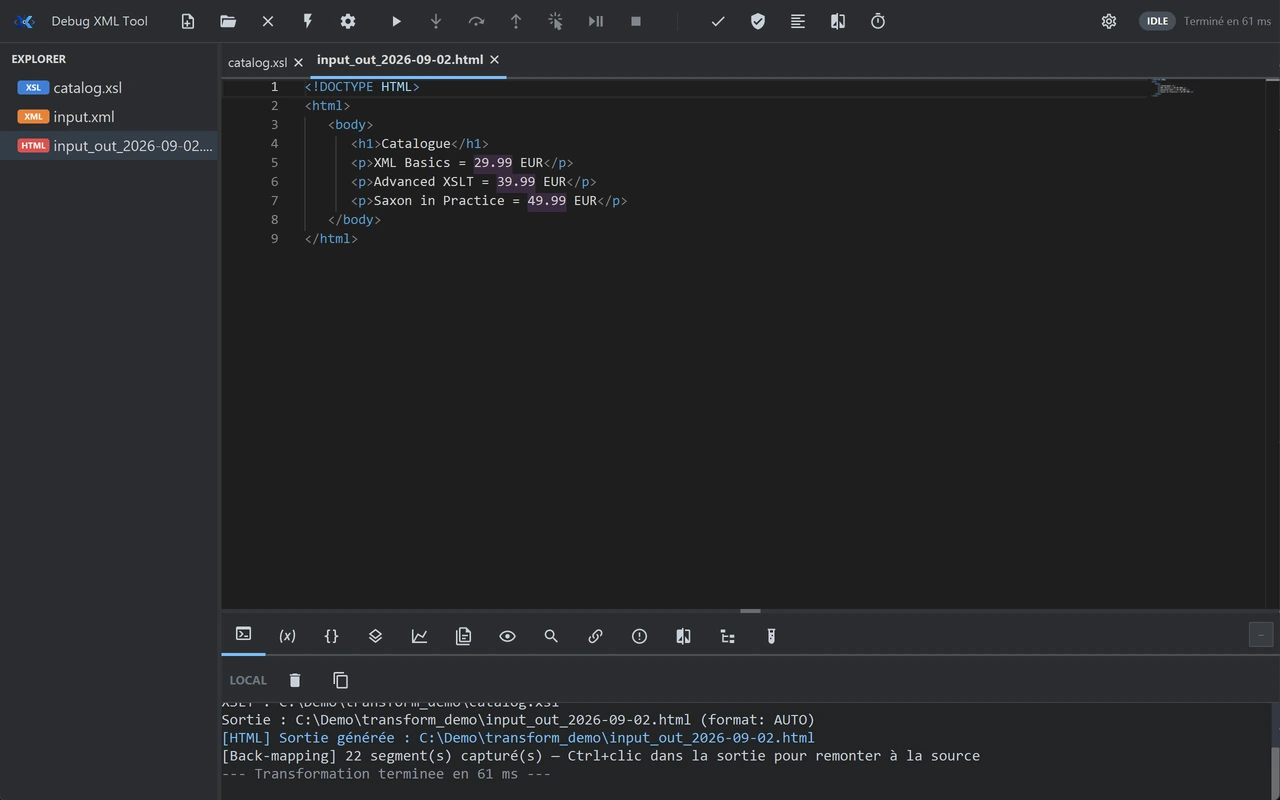
The output holds a node that is wrong, extra, or empty. Select it in the produced document: the template line that wrote it opens and is highlighted.
On a stylesheet of a few thousand lines spread across imports, that search is the one that eats the afternoon. That is what back-mapping does.
What is this variable worth at the moment it goes wrong?
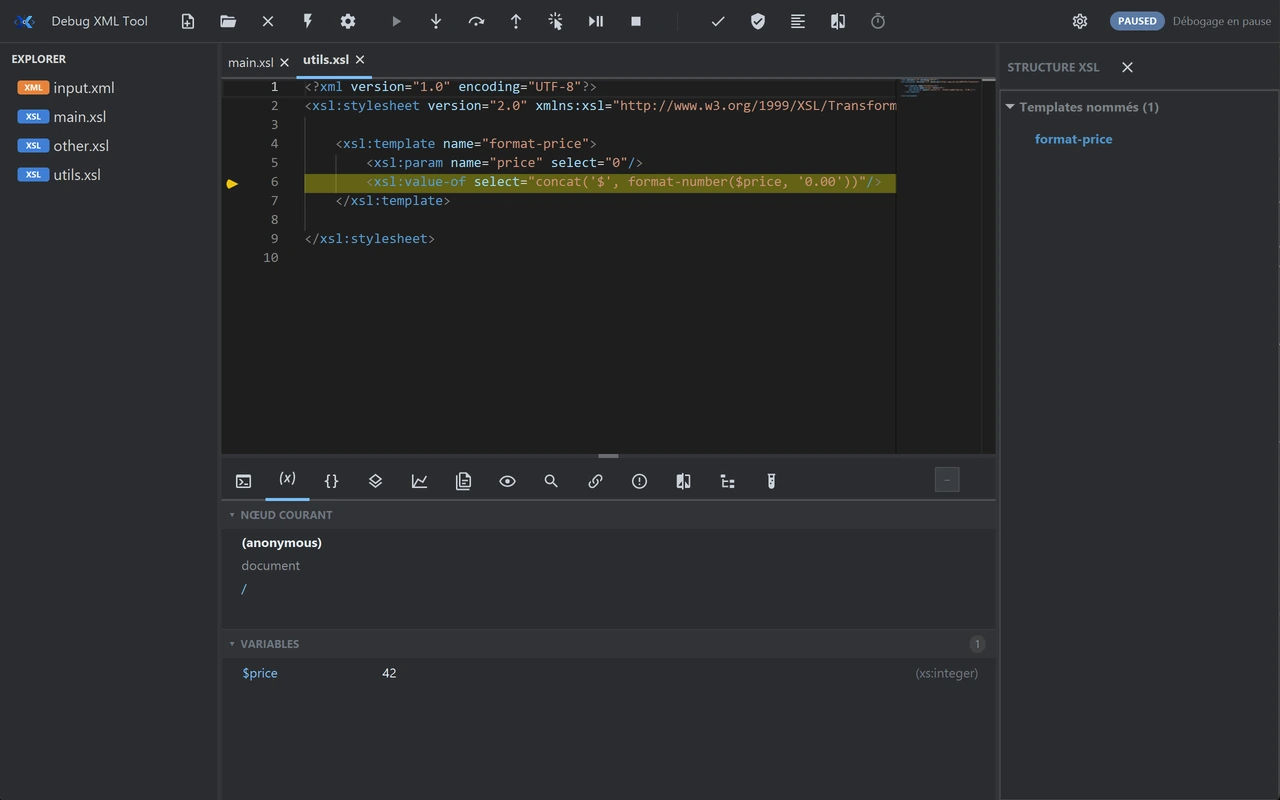
Set a breakpoint on the template line you care about and run the transformation. Execution stops there and the state is displayed, instead of being inferred.
- The current node, and the stack of templates that led to it.
- The value of the variables and parameters visible at that exact point.
- Stepping forward, up to the instruction where the result stops being the one you expected.
Why is this transformation so slow?
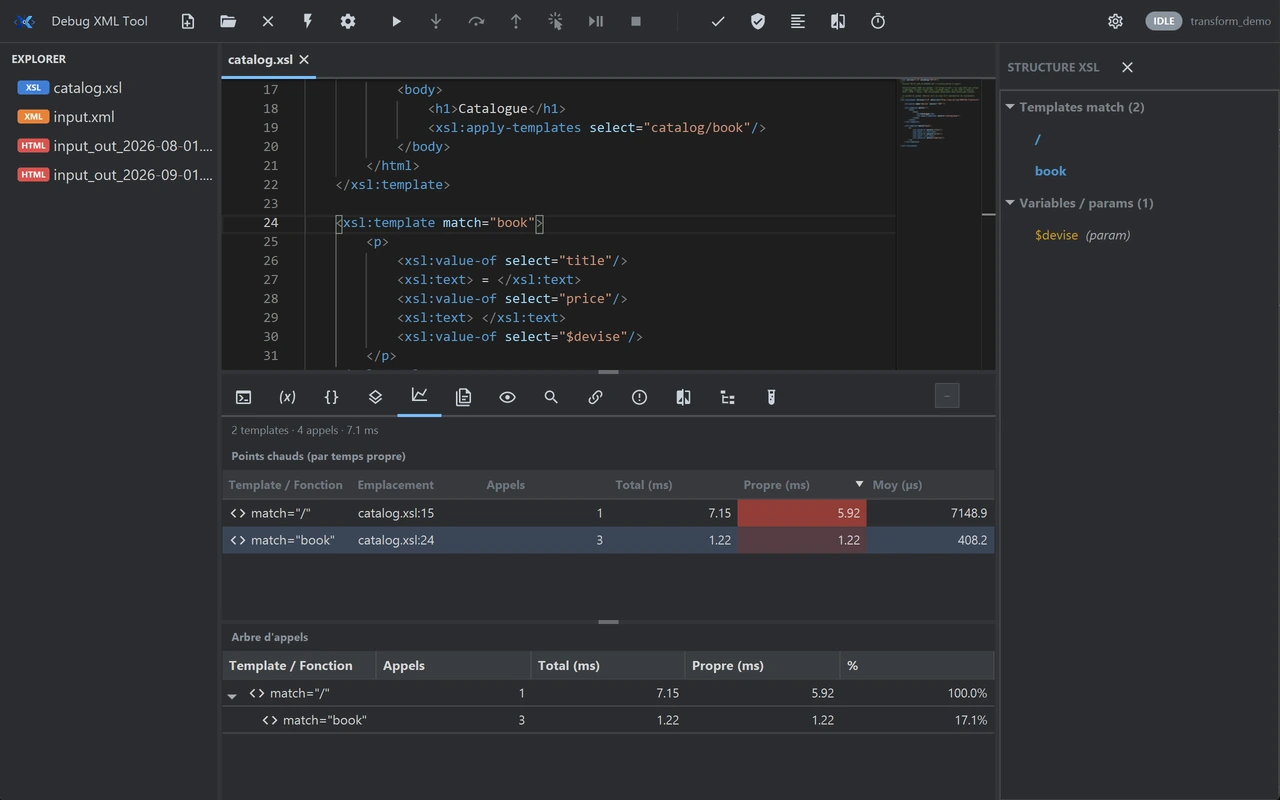
The profiler gives the time spent template by template, as a table, sorted by duration.
Optimising by guesswork nearly always means rewriting code that cost nothing.
What have I just broken?
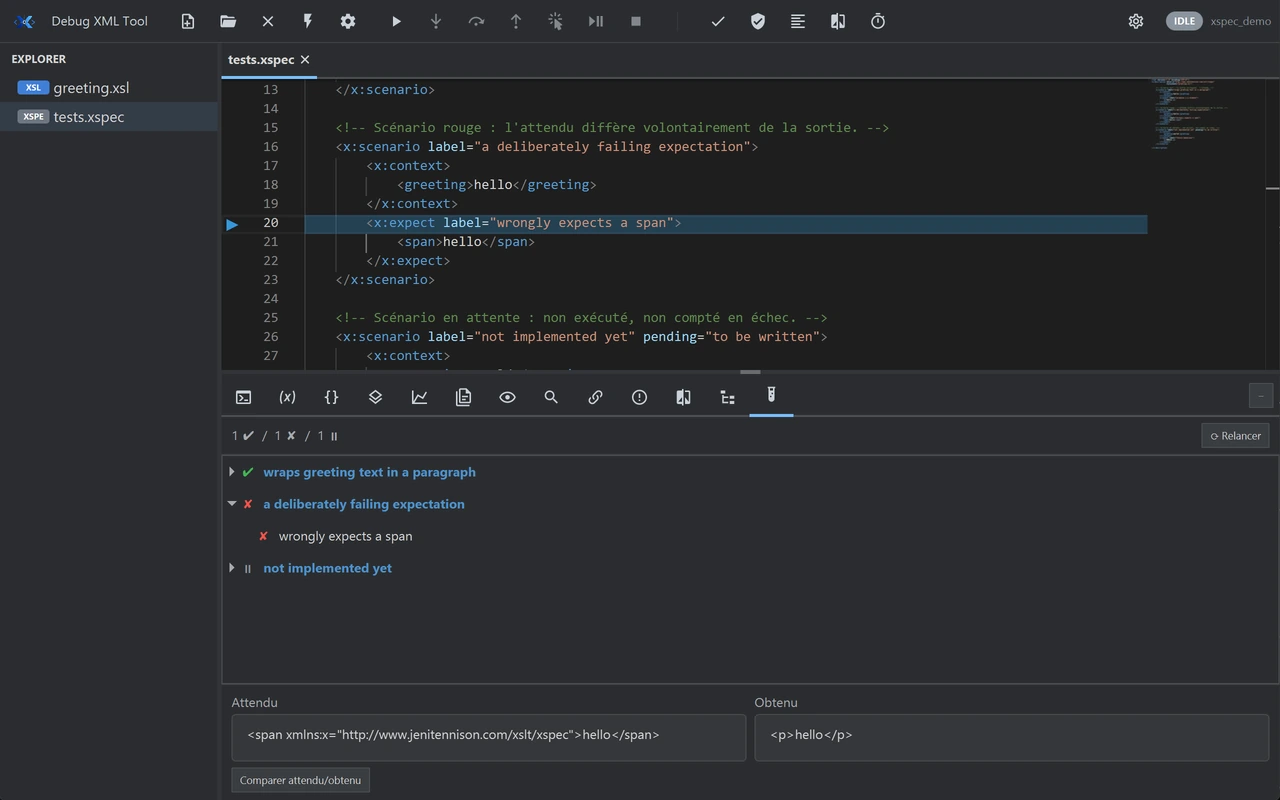
XSpec suites run from the tool, and their results are read there, scenario by scenario.
Tests that force you to switch windows and remember a command line are tests you eventually stop running.
What it runs on
- Available
- Windows. The installer contains everything the tool needs.
- Available
- Linux is published, on the same footing as Windows.
- Not planned
- macOS is not planned.
- Bundled
- No Java to install: the runtime is bundled.
The shortest path is still to try it
Thirty days on your own stylesheets are worth more than any list of features, this one included.