XSLT debugger for Windows
See what your XSLT is actually doing.
Breakpoints, variables, back-mapping, profiler. A real XSLT debugger that runs entirely on your machine.
Why I wrote this tool
I once spent a night on a stylesheet that produced nothing. No error, no message: an empty output document. I ended up scattering xsl:message calls one by one until I found the template that was never called.
Any debugger would have answered that question in three minutes. There was none I could install on my own machine that same evening, without an account and without a network licence. So I wrote one.
A real debugger, not trace messages
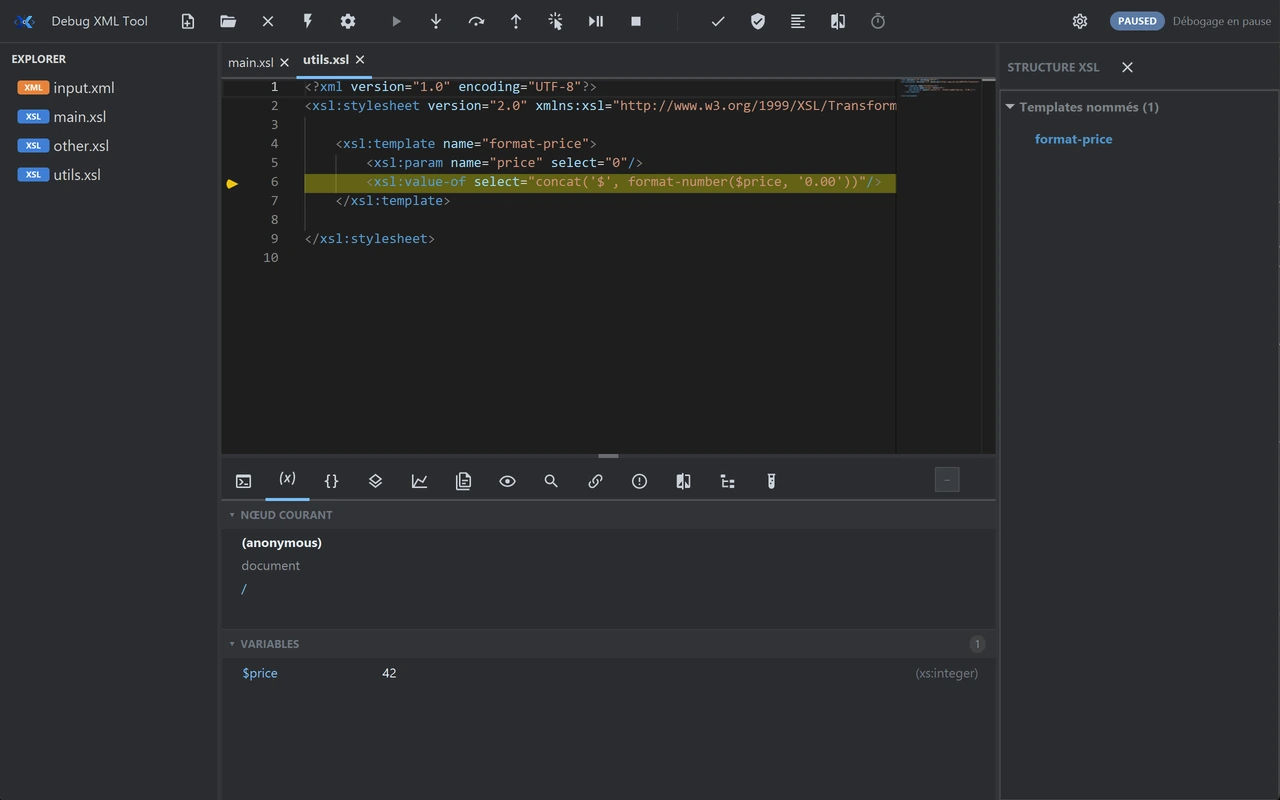
Set a breakpoint in the gutter, run the transformation: execution stops where you expected it to, and you see the actual state instead of guessing it.
- A breakpoint on any template line you choose.
- Step through execution without leaving the stylesheet.
- Variables and parameters visible at the moment of the stop.
Back-mapping
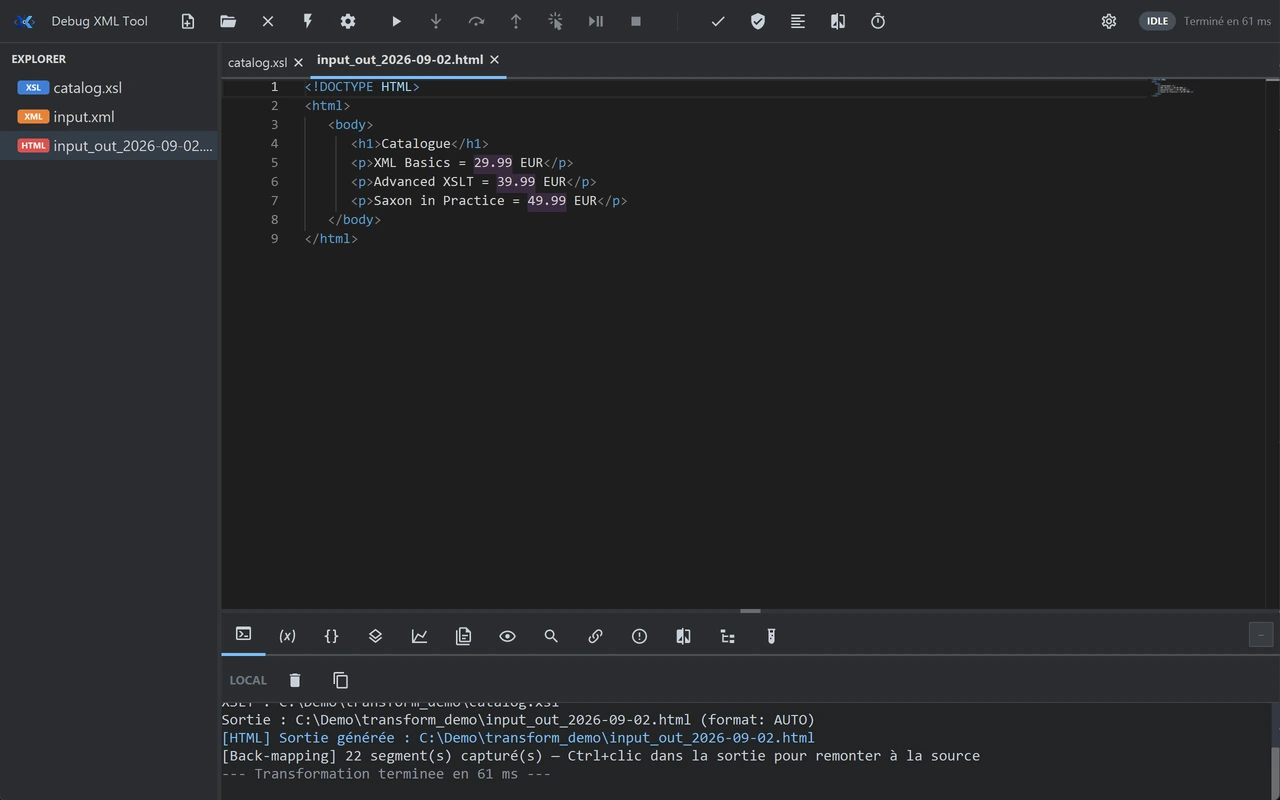
Select a node in the output document: the template line that produced it is highlighted in the stylesheet.
That is the question you actually ask in front of wrong output — what wrote this? — and it is the feature that sets the tool apart.
The profiler
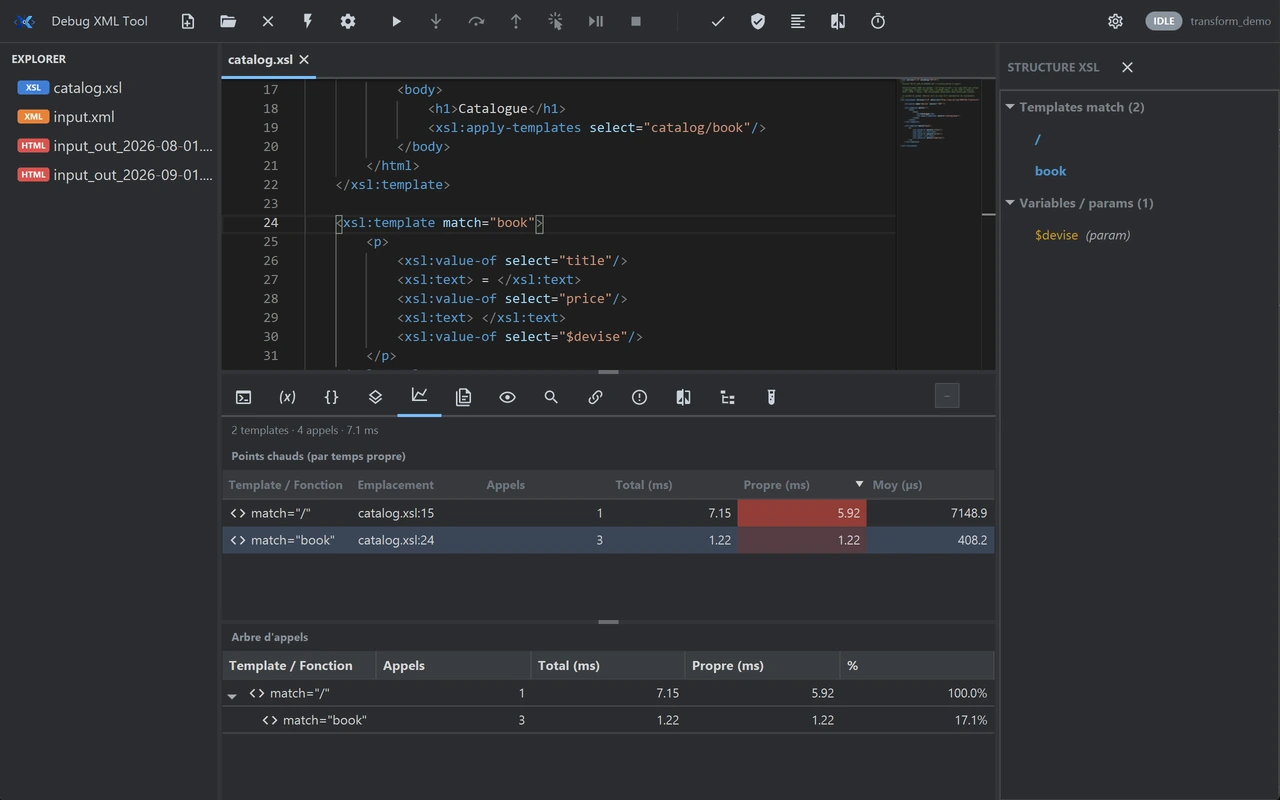
Time spent per template, as a table. On a slow transformation, nearly all of the time sits in two or three templates.
You will know which ones before you start rewriting.
XSpec
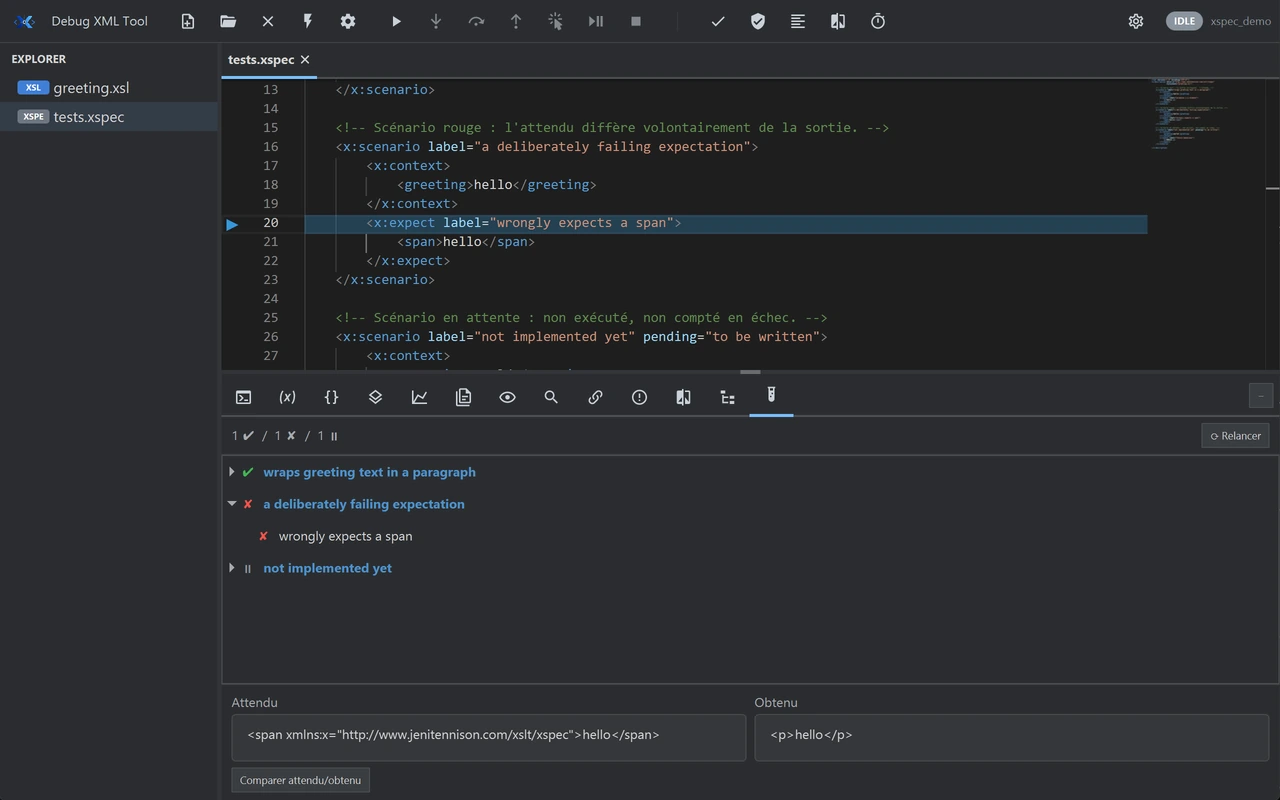
Run an XSpec suite from the tool and read the results without switching windows.
Stylesheet tests mostly tell you what you have just broken. They still have to be easy enough to run that you run them.
What it does not do
Better said here than after you install it.
- Available
- Linux and Windows are both published.
- Not planned
- macOS is not planned.
- Lead time
- The licence key is not delivered the second you pay: it is issued by hand. The 30-day trial, on the other hand, starts with no waiting at all.
- Scope
- One tool that does one thing: debug, profile and test XSLT transformations. It is not an XML suite.
Pricing
€99.99
Perpetual licence · one-time purchase · 12 months of updates included
Try it on your own stylesheet
That is the only evaluation that counts. Thirty days, no account to create and nothing to configure.